
CookieBot Guide

This guide helps you set up cookies correctly on your webshop so that you can use ViaAds. Setting up the ViaAds cookie is essential for your webshop to use the ViaAds marketing solution, so if you run into problems with this guide, or with anything else related to the material from ViaAds, contact Christian Engholm by phone on (+45) 51995555 or by email at cen@viabill.com.
This guide assumes that your webshop already uses CookieBot as its cookie consent provider to manage your cookies. If you use another cookie consent provider, this guide does not apply.
Creating the ViaAds Cookie
- Log in at manage.cookiebot.com
- If the domain has not been created yet, create the domain the ViaAds Cookie will be implemented on
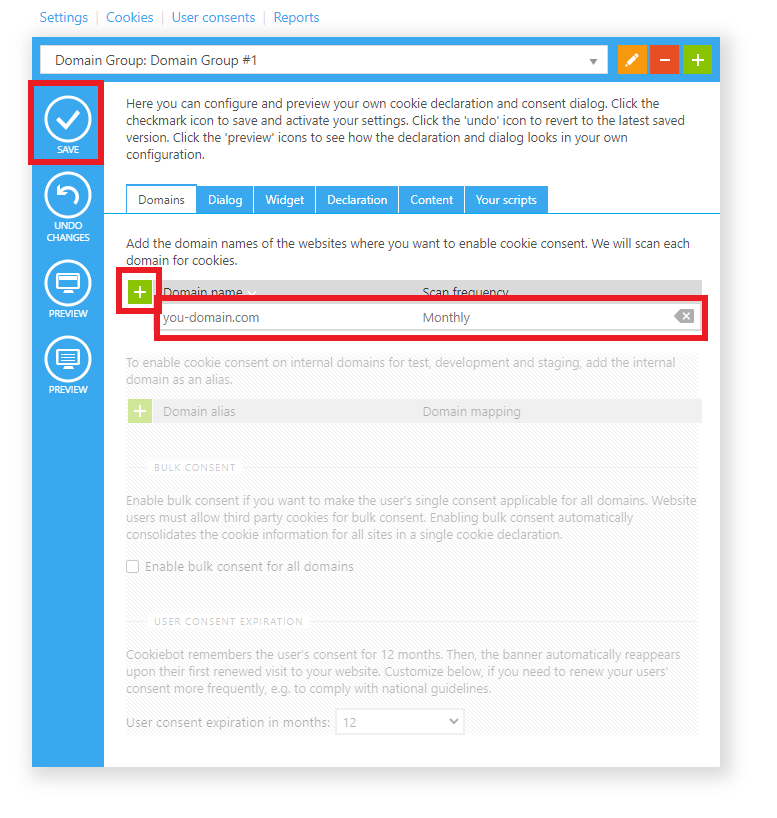
- Select the green plus
- A new line now appears
- Enter the domain name (e.g. your-domain.com)
- Now select Save
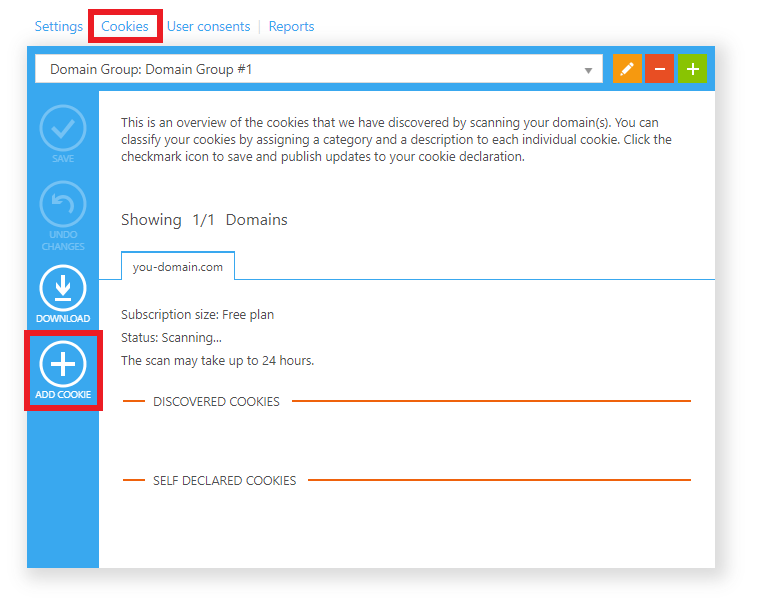
- Select Cookies
- Select Add Cookie
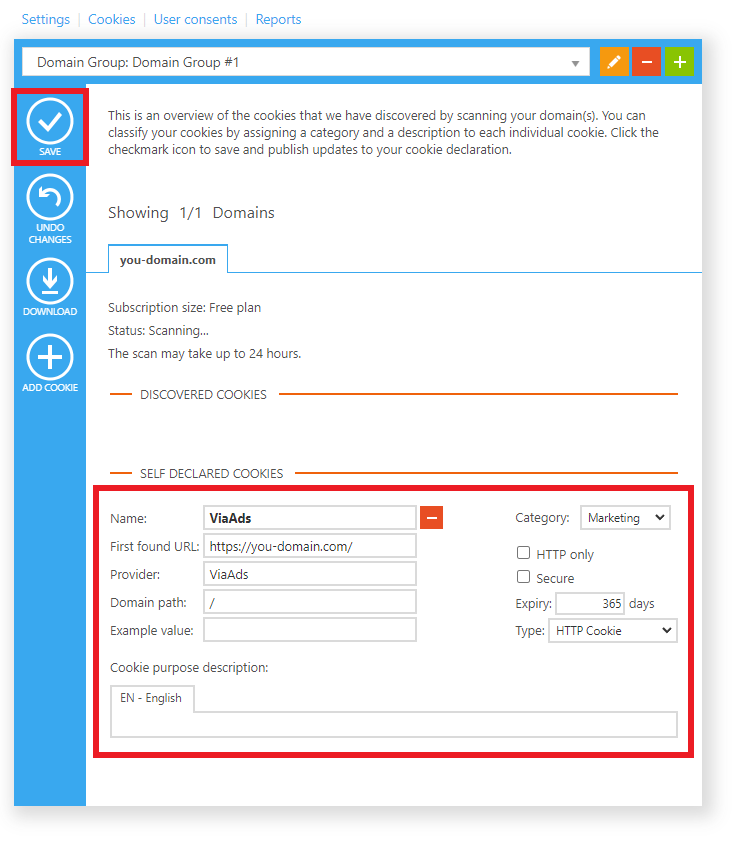
- Fill in the cookie information as follows:
Name: ViaAds
First found URL: The URL of the shop's front page (e.g. https://your-domain.com)
Provider: ViaAds
Domain path: /
Example value: Leave empty
Category: Select Marketing
Expiry: Enter 365
- Select Save
Send a new consent request
Existing customers must be asked for consent again once ViaAds has been added to the list. This is done as follows:
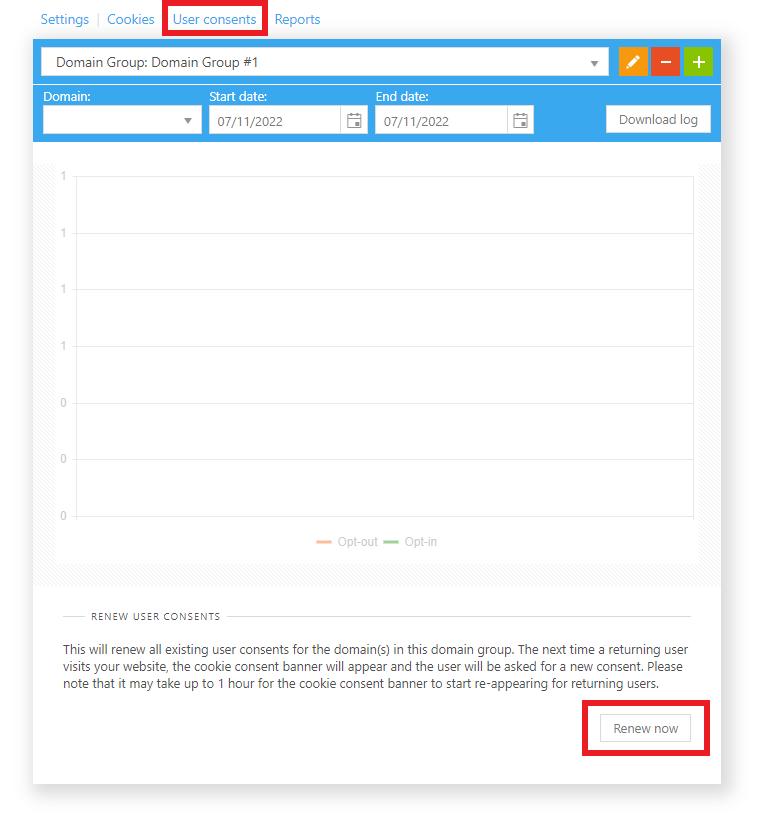
- Select User consents
- Select Renew now
All visitors, regardless of whether they have given consent before, will now be asked to decide again on their next visit to the shop.